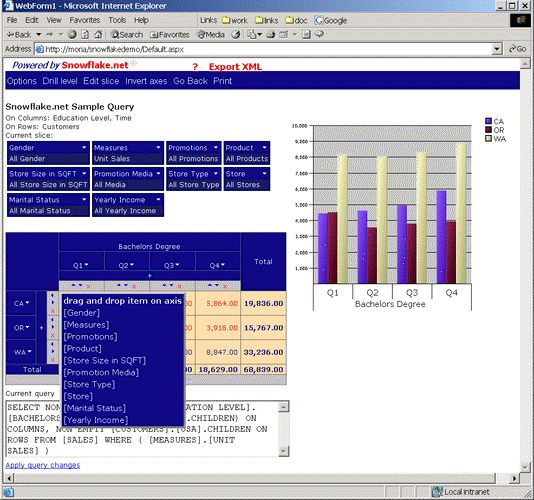
To activate drag & drop hierarchy panel, you click on the grid top left header cell. Dropping a dimension onto a dimension on the axis will replace it. Dropping it on the "+" sign will add it to the axis. You can use the DataGrid->FreeHiersPanelEnabled property to disable/enable drag&drop.
NOTE: Drag&drop functionality replaced "Edit axes" menu option from Snowflake.net versions lower than 2.6.
|
|