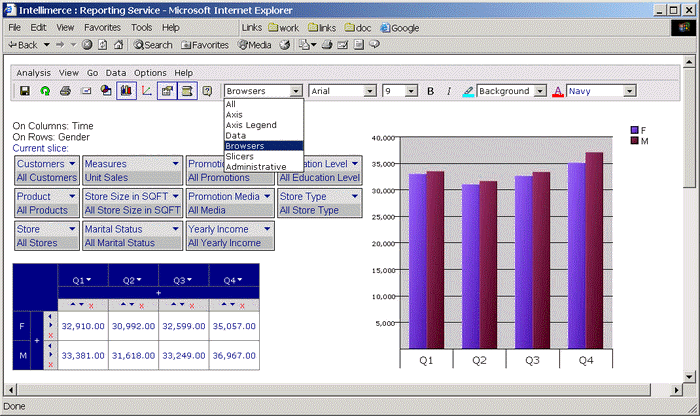
Browsers option in the submenu refers to display property changes of axis editor (top-left cell context menu) and drill-down panel in the grid.
If chosen Browsers option from submenu, both the Advanced Formatting and Format toolbars are enabled. You can change font, font size, Bold, Italic, Component Background Color and Component Foreground(Font) Color.
Default display property for Browsers (font: Arial and font size: 9, Component Background Color: Gray and Component Foreground(Font) Color: Navy) is shown in the following figure:
If the following is changed: font to Tahoma, font size to 10, Component Background Color to Cyan and Component Foreground(Font) Color to Magenta:

|
|